Containers and Iterators of the C++ Standard Template Library (STL)
Chapter 21
Introduction
Introduction to the STL
The standard C++ is equipped with a Standard Template Library
(STL).The STL includes class templates to process lists, stacks, and queues.
In this lecture, you will:
Be introduced the Standard Template Library (STL)
Become familiar with the three basic components of the STL: containers, iterators, and algorithms.
Become familiar with basic operations on vector objects
Components of the STL
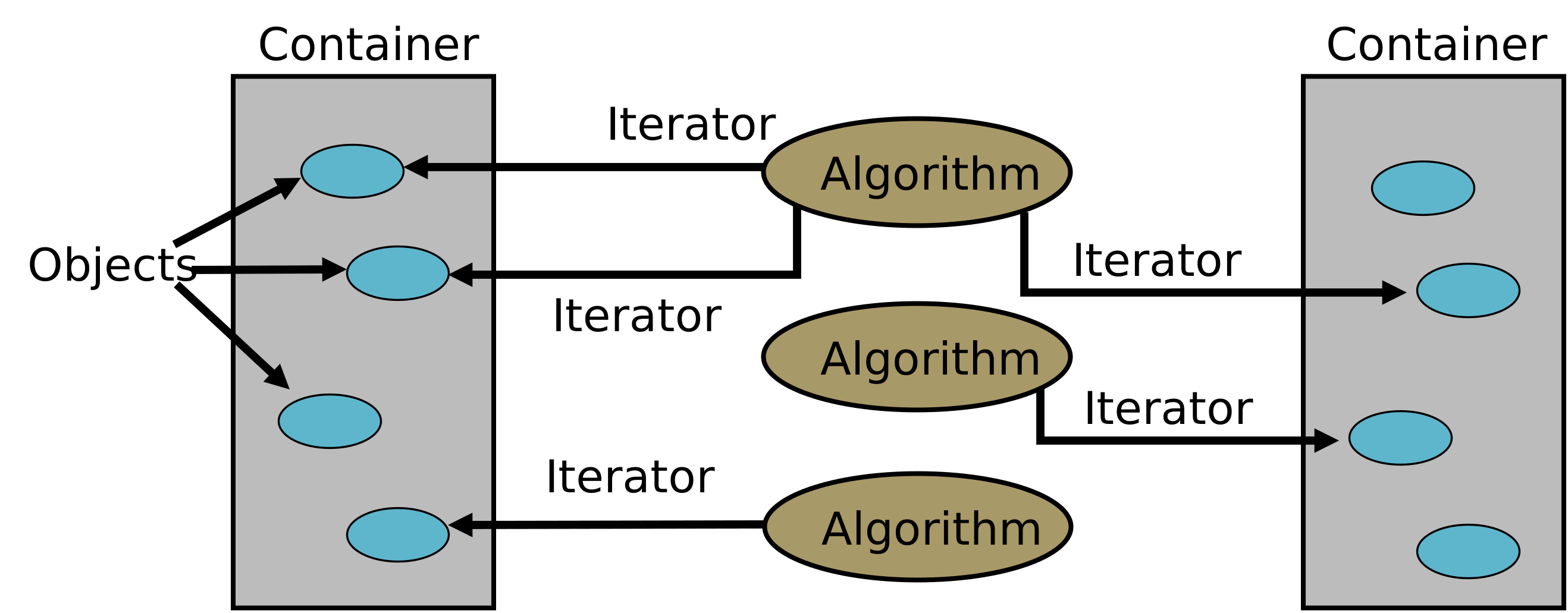
The STL consists of three categories of components:
- Containers are class templates to manage objects of a given type.
- Iterators are used to step through the elements of a container.
- Algorithms are used to manipulate data.
Available Containers Types
Sequence Containers implement data structures that can be accessed sequentially.
Ordered Associative Containers implement sorted data structures that can be quickly searched (
complexity). Unordered Associative Containers implement unsorted (hashed) data structures that can be quickly searched (
on average, worst-case complexity).
Container Adapters and Views
Container adapters and views support different features of existing containers, rather than being containers themselves.
Adapters provide a different interface for sequential containers.
Views provide flexible lightweight non-owning access to contiguous contains.
Available Sequence Containers Types in C++20
| Sequence Containers | Header File | Iterator Support |
|---|---|---|
| array | <array> | Random access |
| vector | <vector> | Random access |
| deque | <deque> | Random access |
| list | <list> | Bidirectional |
| forward_list | <forward_list> | Forward |
Available Associative Containers Types in C++20
| Associative Containers | Header File | Iterator Support |
|---|---|---|
| map | <map> | Bidirectional |
| multimap | <map> | Bidirectional |
| set | <set> | Bidirectional |
| multiset | <set> | Bidirectional |
| unordered_map | <unordered_map> | Bidirectional |
| unordered_multimap | <unordered_map> | Bidirectional |
| unordered_set | <unordered_set> | Bidirectional |
| unordered_multiset | <unordered_set> | Bidirectional |
Available Adapters in C++20/23
| Adapters | Header File | Iterator Support |
|---|---|---|
| stack | <stack> | No iterator support |
| queue | <queue> | No iterator support |
| priority queue | <queue> | No iterator support |
Views Types in C++20
| Views | Header File | Iterator Support |
|---|---|---|
| span | <span> | Bidirectional |
| mdspan | <mdspan> | none |
Sequence Containers in the STL
Sequence container: every object in the container has a specific position.
array– encapsulates a fixed size arrayvector– a list with elements stored contiguouslydeque– a double-ended queuelist– usually a doubly-linked listforward_list– usually a singly-linked list
vector
Declaring a vector
Stores and manages its objects in a dynamic array
Must use:
#include <vector>To define an object of type vector, specify the type of the object
Examples:
cppstd::vector<int> intList; std::vector<std::string> stringList;vectorcontains several constructors.
Constructors for a vector
There are 10 different constructors for vector; Here are some highlights.
vector();
Default constructor. Constructs an empty container.vector(size_type count, const T& value = T());
Constructs the container with count copies of elements with value value.template<typename InputIt>vector(InputIt first, InputIt last);
Constructs the container with the contents of the range [first, last).vector(const vector& other);
Copy constructor.
Operations on a vector
Basic vector operations
Item insertion
insert(iterator pos, T& value);push_back(const T& value);etc.Item deletion
erase(iterator pos);pop_back();etc.Stepping through the elements
cppat(int index) // Random access value. operator[](int index); // Random access reference front(); // the first element back(); // the last element
Vector elements can be processed just as they can in an array.
Example Operations on a vector
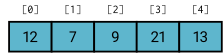
std::vector<int> vec{12, 7, 9, 21, 13};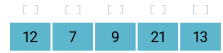
std::vector<int> vec{12, 7, 9, 21, 13};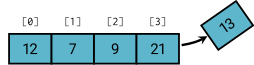
vec.pop_back();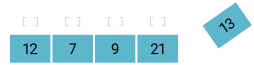
vec.pop_back();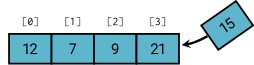
vec.push_back(15);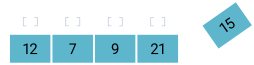
vec.push_back(15);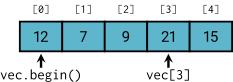
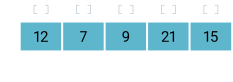
Capacity/Size of a vector
| Method | Description |
|---|---|
empty() | returns true if the container is empty and false otherwise |
size() | returns the number of elements |
max_size() | returns the maximum possible number of elements |
reserve() | reserves storage |
capacity() | returns the number of elements that can be held in currently allocated storage |
shrink_to_fit() | reduces memory usage by freeing unused memory |
Example use of the vector Container
#include <vector>
#include <iostream>

int main() {
    std::vector<int> v(3);    // a vector of size 3
    v[0] = 23;
    v[1] = 12;
    v[2] = 9;                 // vector full
    v.push_back(17);          // append a new value
    for (auto el : v)         // range-based for loop.
    std::cout << el << ' '; // access to i-th el
    std::cout << std::endl;
    v[2] = v[3];              // random access
}Example use of the vector Container
#include <vector>
#include <iostream>

int main() {
    std::vector<int> v{ 12, 3, 17, 8 }; // initialize
    while (!v.empty())                  // until empty
    {
        std::cout << v.back() << ' '; // output last el
        v.pop_back();                 // delete last el
    }
    std::cout << std::endl;
}The deque (Double-Ended Queue) Container
std::deque is another indexed sequence container, which is
accessed using #include <deque>
Allows fast insertion and deletion at both end ends. Slower insertion in the middle.
Insertion and deletion at either end of a deque never invalidates pointers or references to the rest of the elements.
The elements of a deque are not stored contiguously, but random access is
.
The list Container
std::list is another indexed sequence container, which is accessed using#include <list>
Allows constant-time insertion and deletion from anywhere in the container, which never invalidates pointers or references to the rest of the elements.
Fast random access is not supported.
Usually implemented as a doubly-linked list.
Less space efficient.
Iterators
Iterators for Container
Iterators are pointer-like entities that are used to access individual elements in a container.
Often they are used to move sequentially from element to element, a process called iterating through a container.
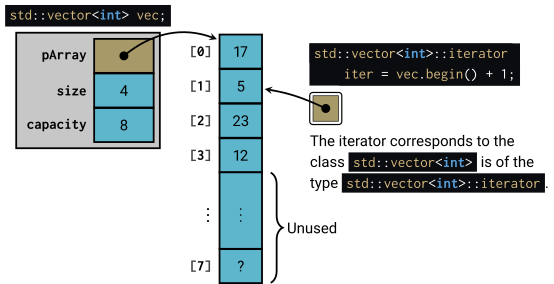
vector Container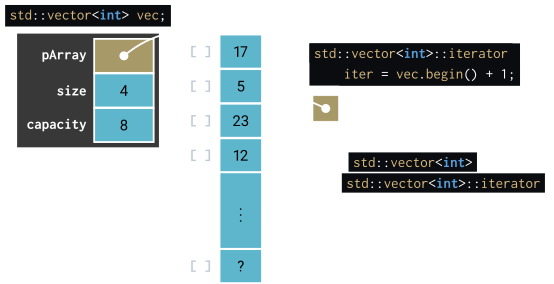
vector Containerstd::vector<int> vec { 17, 5, 23, 12, 9, 11, 13, 9 };
// Declares an iterator into a int vector container
std::vector<int>::iterator intVecIter = vec.begin();
// Advance the iterator to the second element.
++intVecIter;
// Access the second element and change its value.
*intVecIter = -3;
// Second iterator positioned on the last element.
std::vector<int>::iterator intVecIter2 = vec.end();
--intVecIter2;Containers have begin and end Iterator Functions
begin(): returns an iterator to the beginning of the container.end(): returns an iterator to just past the last value.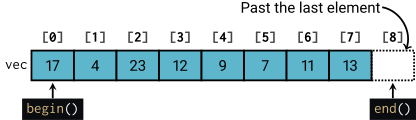
Begin and end iterators. 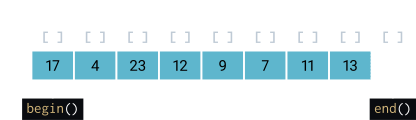
Begin and end iterators.
std::vector<int> vec { 17, 4, 23, 12, 9, 7, 11, 13 };

std::vector<int>::iterator intVecIter1 = vec.begin();
std::vector<int>::iterator intVecIter2 = vec.end();
--intVecIter2; // move to last elementIterator Example
template <typename Type>
Type maxValue(const vector<Type> &vec)
{
  vector<int>::const_iterator iter = vec.cbegin();
  Type max = *iter;
  for (++iter; iter != vec.cend(); ++iter)
  {
    if (*iter > max)
      max = *iter;
  }
  return max;
}

std::vector<std::string> words { "The", "fun", "has", "just", "begun" };
cout << "max of words = " << maxValue(words);Types of Iterators
Every algorithm requires an iterator with a certain level of capability. For example, to use the [] operator you need a random access iterator.
Input iterators have read access; step forward element-by-element.
Output iterators have write access; step forward element-by-element.
Forward iterators have the functionality of input and most of the functionality of output iterators.
Bidirectional iterators are forward iterators that can also go backward.
Random access iterators are bidirectional iterators that can randomly process the elements of a container.
As of C++20, there are additional iterators based on concepts, which differ from C++17.
https://en.cppreference.com/w/cpp/iterator
Iterator Operations
| Type | Access | Read | Write | Iterate |
|---|---|---|---|---|
| Input | x = *i | ++ | ||
| Output | x = *i | *i = x | ++ | |
| Forward | x = *i | *i = x | ++ | |
| Bidirectional | x = *i | *i = x | ++, -- | |
| Random Access | [ ] | x = *i | *i = x | ++, -- |
Helper Iterator Operators
The <iterator> library includes many overloaded operators and functions to use with iterators. Some include:
advance – advances an iterator by a given distance
next – increment an iterator
prev – decrement an iterator
Benefits of Iterators
Convenience in Programming:
Provide common usage for any container (the internal structure of a container does not matter).
Provide read and/or write access to each element’s values.
Reusable Code:
Iterator algorithms are not dependent on the container type.Dynamic Processing:
Easily dynamically allocate as well as delete the memory.
Associative Containers
Ordered Associative Containers
Store elements in sorted order according to some ordering criteria
(often using a type of binary tree).
| Associative Containers | Header File | Iterator Support |
|---|---|---|
| map | <map> | Bidirectional |
| multimap | <map> | Bidirectional |
| set | <set> | Bidirectional |
| multiset | <set> | Bidirectional |
setstores a set of unique elements, whilemapstores key-value pairs with unique keys.multisetandmultimapallow duplicates.
Sets Example
#include <set>
int main()
{
  std::set<std::string, std::less<std::string> > nameSet{ "Ole",
       "Hedvig", "Juan", "Lars", "Guido", "Ann"};

  nameSet.insert("Patric"); // insert another name
  nameSet.erase("Juan"); // removes an element

  // Find the matching name in set.
  std::string searchName;
  std::cin >> searchName;
  std::set<std::string, std::less<string> >::iterator iter =
    nameSet.find(searchName);

  cout << searchName << " is";

  if (iter == nameSet.end()) // check if found
     std::cout << " NOT";

  std::cout << " in the set!\n";
}Sets Example
#include <set>

int main()
{
  std::set<std::string, std::less<std::string> > nameSet {
    "Ole", "Hedvig", "Juan", "Lars", "Guido", "Patric",
    "Maria", "Ann" };

  // Set iterator to lower start value "K"
  std::set<std::string, std::less<std::string> >::iterator
    iter = nameSet.lower_bound("K");

  // Display: Lars, Maria, Ole, Patric
  while (iter != nameSet.upper_bound("Q"))
    cout << *iter++ << ", ";

  std::cout << std::endl;
}Maps Example
#include <map>
#include <algorithm>
int main()
{
  std::map<std::string, int> contacts {
    {"Ole", 75643}, {"Hedvig", 83268}, {"Juan", 97353},
    {"Lars", 87353}, {"Guido", 19988}, {"Patric", 76455},
    {"Maria", 77443}, {"Ann", 12221}};

  std::cout << "Lars phone number is " << contacts["Lars"]
    << '\n';

  for(auto iter = contacts.begin(); iter != contacts.end(); iter++)
    std::cout << iter->first << " : " << iter->second << '\n';
}Adapters
Container Adapters
Adapt a sequential container to accommodate special situations.
| Adapters | Header File | Iterator Support |
|---|---|---|
| stack | <stack> | No iterator support |
| queue | <queue> | No iterator support |
| priority queue | <queue> | No iterator support |
- Do not support any type of iterator.
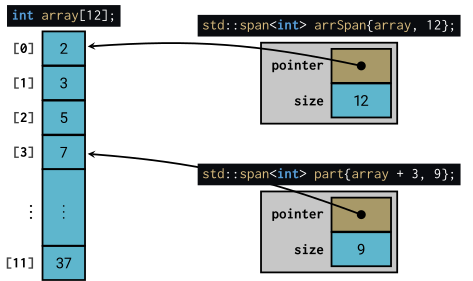
The std::span Container View